
CGM Guide
Which CGM is the most accurate? Wrong question.
Every CGM manufacturer wants you asking that question, because every one of them has an answer ready that makes their own device look best. Give me a few minutes before you look at a single spec sheet, because the question underneath it is more interesting, and more useful, than “which one wins”.
Ask Grace
Want the study-design score or the accuracy figures for a specific device explained in your own situation? Ask Grace.
What this page is for
Ask which sensor is best in any diabetes group online and the thread runs four pages before anyone agrees. One person wore theirs for a year and it never once let them down. The next person’s was well out on the morning it mattered most. Both of them are telling the truth.
That is why this page does not rank the four sensors by a single accuracy number and crown a winner. A single number averages away the thing you actually care about, which is how a sensor behaves on your worst day rather than its median one.
So it works in the other order. First what a sensor is actually measuring, and why its number and a finger prick were never going to agree exactly. Then the questions worth asking before you look at any figure at all, then the figures themselves and what size of difference would genuinely change a decision, then each sensor set out the same way so you can hold them next to each other. What fits you is a conversation for you and your team; this page is here to make you better armed for it.
Sensor glucose and blood glucose are not measuring the same thing
A finger-prick meter reads glucose out of capillary blood. A sensor reads it out of interstitial fluid, the fluid that sits around your cells just under the skin. Glucose arrives in one compartment before it arrives in the other, so the two numbers were never going to line up exactly, and a sensor that matched a meter perfectly all day would be the suspicious one.
This matters for what comes next. The lag is a real physiological difference, not a fault, and it is not the same thing as the sensor being wrong. A reading can be lagging and correct at the same moment: it is telling you accurately what your interstitial glucose is, while your blood has already moved on. The error bands further down this page are about something different, the genuine tail where the sensor and the body disagree. Small is not zero, and that tail is worth respecting. Confusing it with the lag makes a well behaved sensor look broken, and makes a genuinely wandering one easy to excuse.
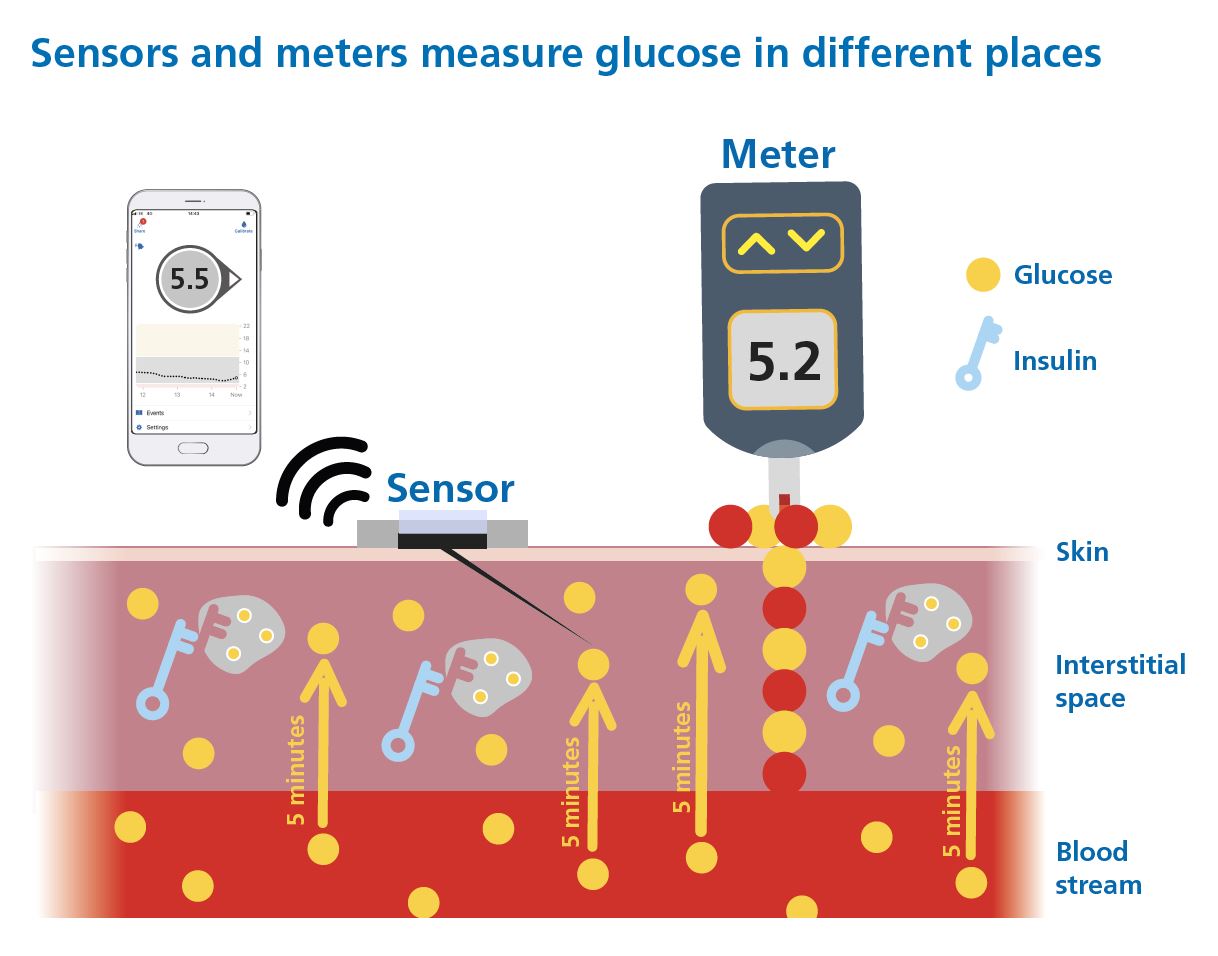
Two compartments, two honest numbers; knowing which one you are looking at is most of the skill.
First, know which kind you are holding
Every CGM on the market falls into one of two categories, and it changes what you are allowed to do with the number on screen.
Adjunctive
Designed to sit alongside finger pricks, not replace them. Every dosing decision, every correction, still needs a blood glucose confirmation. The CGM is context and trend, not the number you act on.
Non-adjunctive
Licensed to replace finger-stick blood glucose for treatment decisions, including insulin dosing. This is what almost everyone reading this guide is using or choosing between. Everything below is written for this category.
That single word on the licence, adjunctive or non-adjunctive, matters more than any spec on the box. It is the first thing worth checking on any device you are considering.
Words you will see on this page
These come up on every card below, and in the two numbers this whole page turns on. None of them are as complicated as they sound.
The question that actually matters
Here it is: accurate enough for what? A sensor that is close enough to trust for a bedtime glance is not automatically close enough to trust for a correction dose. Those are different jobs. Marketing material almost never tells you which one it is talking about.
So before I show you a single device, I want to walk you through how these numbers get made. A few years ago I sat down with the DSN Forum UK, the specialist nurses who actually help people choose a sensor day to day, and we built a filter together. Not a features checklist. A test of whether the study behind an accuracy claim is even worth reading.
Five questions, before a single number
A CGM earns one point for each of these. Five questions, five points, and a device needs all five before I will let its accuracy figures anywhere near this page:
- Is the evidence public? Peer-reviewed publication, or the data is at least available through a regulator (the FDA device database, or EUDAMED). Not “data on file”, not a number in a press release.
- Is there enough of it? Roughly fifty or more people wearing the sensor with insulin on board, generating thousands of paired readings against a real reference, not a handful of volunteers on a good day.
- Did they actually eat and dose? A meal and insulin challenge, so the sensor was tested against a real rise, not just a quiet afternoon sitting still.
- Did they go low? At least 8% of the paired readings below 4.4 mmol/L (80 mg/dL). This is the band where a wrong reading costs you the most, so it is the band the study has to actually visit, not skip past.
- Did they go high? At least 5% of the paired readings above 16.7 mmol/L (300 mg/dL). Same logic at the other end.
Only a score of 5 out of 5 tells you anything about risk. A score under 5 does not mean the device is bad. It means nobody has published enough evidence, tested in the right way, for anyone, including me, to honestly characterise how it behaves at the edges. That is not a knock on the device. It is just not something I can respond to with a straight face. So Grace will not show accuracy figures for, or recommend, any device that has not cleared all five.
Only two numbers matter after that. Not one.
Most accuracy claims lean on a single average. Averages are seductive, because they flatten a messy reality into one clean figure you can put on a poster. They are also exactly how a device with a genuinely dangerous tail can still look fine on paper, the bad readings get diluted by all the good ones sitting either side of them. I am not going to give you an average. I am going to give you two thresholds instead, because that is what actually tells you something, and only for the devices that passed Step 1.
If you would rather go straight to matching devices against your own priorities, the selector sits further down this page.
What the bands mean at three glucose levels
The band is not a fixed distance. Below 5.6 mmol/L (100 mg/dL) it is a flat number of units, so the window stays the same width no matter how low you go. Above that it is a percentage, so the window widens as the number climbs. Same band, same device, two quite different amounts of room, which is why a sensor reading feels tighter at breakfast than it does mid-afternoon after a big meal.
| The number on your sensor | Which arm applies | True value could be, ±20/20 | True value could be, ±40/40 |
|---|---|---|---|
| 5.0 mmol/L (90 mg/dL) | Fixed, because 5.0 sits below the 5.6 mmol/L (100 mg/dL) threshold | 3.9 to 6.1 mmol/L (70 to 110 mg/dL) a window of ±1.1 mmol/L, ±20 mg/dL | 2.8 to 7.2 mmol/L (50 to 130 mg/dL) a window of ±2.2 mmol/L, ±40 mg/dL |
| 10.0 mmol/L (180 mg/dL) | Percentage, because 10.0 sits above the threshold | 8.0 to 12.0 mmol/L (144 to 216 mg/dL) a window of ±2.0 mmol/L, ±36 mg/dL | 6.0 to 14.0 mmol/L (108 to 252 mg/dL) a window of ±4.0 mmol/L, ±72 mg/dL |
| 15.0 mmol/L (270 mg/dL) | Percentage, and the window is now half as wide again as it was at 10.0 | 12.0 to 18.0 mmol/L (216 to 324 mg/dL) a window of ±3.0 mmol/L, ±54 mg/dL | 9.0 to 21.0 mmol/L (162 to 378 mg/dL) a window of ±6.0 mmol/L, ±108 mg/dL |
Worked from the band definition above, not from a published table. mmol/L and mg/dL are the same values expressed two ways; small rounding differences between the two columns are the conversion, not a disagreement.
The DSN Forum UK CGM Comparison Charts carry the full detail, every device against every question in the framework. Open the DSN Forum UK comparison charts.
The devices with 5 out of 5, side by side
That is all five of them, the same list as the cards below, read at a glance. Nothing has been filtered out, because on this page nothing scoring less than 5 out of 5 got this far. Adult figures.
| Device | Within ±20/20 | Within ±40/40 |
|---|---|---|
| Dexcom G7 and One+ | 95% (n=316) | More than 99.5% |
| FreeStyle Libre 2 Plus and 3 Plus Plus generation only | 94% (n=148) | More than 99.5% |
| Roche Accu-Chek SmartGuide Adult only; no paediatric row, the device is not studied in children | 91% (n=48) | 99% (n=48) |
| MiniMed Simplera Sync | 89% (n=160) | 99% |
| MiniMed Instinct | 94%, inherited from the FreeStyle Libre 3 Plus hardware identity; no chart row of its own, so not directly comparable with the four rows above | Not established. No ±40/40 figure exists for this hardware generation, and one will not be constructed by borrowing another row’s. |
Rows one to four are the DSN Forum UK CGM Comparison Chart v2 (March 2026), refs 4-5, 6-7, 1 and 8, which is the one table that computes every device the same way and is therefore the only fair basis for putting them next to each other. The Instinct row is not from the chart; it carries Abbott’s FreeStyle Libre 3 Plus figure by hardware identity (Alva et al 2025, DOI 10.1177/19322968251329364), which is why it is labelled rather than ranked. Every figure in this table comes from manufacturer-funded studies; an independent head-to-head at one centre (Eichenlaub 2025, 24 participants) found lower agreement for all three devices it tested, so read these as comparable with each other rather than as absolute performance.
That gap between “small” and “zero” is the whole argument for keeping a working meter within reach, on any sensor, no matter how good. Not because CGM has let you down. Because a small, honest tail exists on every device that has ever been built, and it does not announce itself. The alarm is silent. The number looks like every other number. The occasional finger prick, especially when something does not feel right, is what catches the one time in a hundred or so that the reading is lying to you.
Why you still need a blood glucose meter
Most of the time, a sensor is showing you things finger pricks alone never could: the overnight drift, the shape of a meal, the direction you are heading in. This section is about the rest. On the devices above, somewhere between roughly half a per cent and one per cent of readings land far enough out to send a dose wrong, and the extremes are where that matters most. That slice is small, and it is exactly why the meter in your bag needs to be a good one rather than whichever one came to hand.
- Contour Plus Blue (Ascensia), 86.7% within ±5%, the only one with Second Chance Sampling
- GlucoFix Tech GK (A. Menarini), 76.2% within ±5%
- GlucoRx Smart (GlucoRx), 74.8% within ±5%
All three clear the ISO 15197 floor of 95% of readings within 15%; the ±5% figures are from the NHS England Category 2 commissioning list (PR00037 v5, September 2025).
That 1% moment only works if the backup is trustworthy too. A finger-prick meter has its own accuracy standard, and its own way of being let down by bad technique: an underfilled strip, a contaminated fingertip, a cold hand, a vial left uncapped. An inaccurate meter, or a rushed test, defeats the entire point of having a backup. Getting the technique right, clean hands, a proper drop, an in-date strip, is not a footnote. It is the other half of the safety case.
What follows is each sensor set out the same way, so you can hold them next to each other: what it is, who it suits, and what those figures look like device by device.
The devices that clear all five
The devices below all score 5 out of 5 on the DSN Forum UK framework (v2, March 2026), the highest tier the framework awards. Real ±20/20 and ±40/40 figures from that chart, adult data first.
Dexcom G7 and Dexcom One+
Dexcom
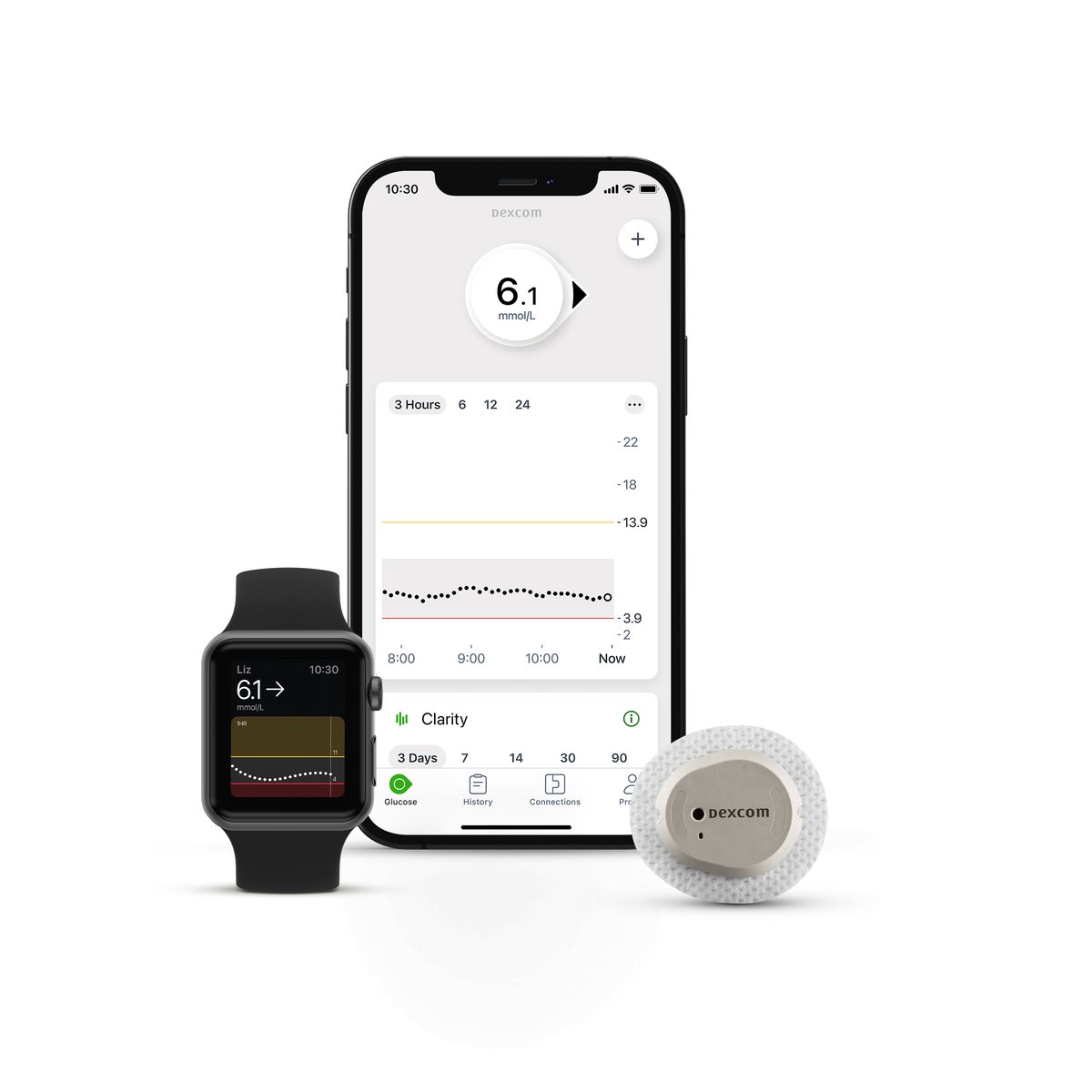
One family with two routes in: the G7 is the one to look at if an AID system is where you are heading, and the One+ is the route a GP practice can prescribe.
Tell me more
How it works. Both sensors sit on the same underlying hardware and carry the same accuracy data, so the difference between them is the route rather than the reading. In adults, 95% of paired readings landed inside ±20/20, and more than 99.5% inside ±40/40.
The interesting thing here is that the split is not a quality ladder. The One+ is not the cheap one; it is the same sensor arriving through primary care rather than through a pump clinic. What you give up by taking that route is the AID pairing, and that is worth knowing before the prescription is written rather than after.
Good for. Anyone heading towards Omnipod 5, Control-IQ or CamAPS FX, on the G7. Anyone whose route in is a GP practice rather than a pump clinic, on the One+.
Worth knowing. The One+ is not AID-paired. If a pump is on the horizon, that is the row to look at first.
FreeStyle Libre 2 Plus and 3 Plus
Abbott
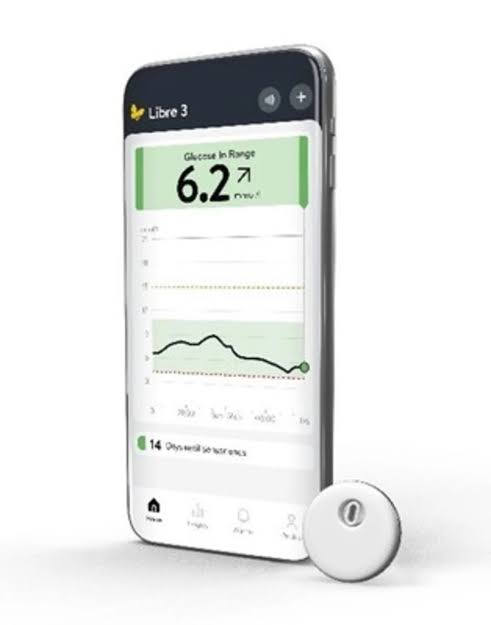
Two separate AID lanes inside one family, so which Libre you end up with depends less on the sensor and more on the pump it has to talk to.
Tell me more
How it works. In adults, 94% of paired readings landed inside ±20/20 and more than 99.5% inside ±40/40, for both. The family runs two AID lanes: Libre 2 Plus with Omnipod 5, and Libre 3 Plus with CamAPS FX on YpsoPump.
Two lanes inside one brand catches people out more than any other thing on this page. Someone gets on well with a Libre, assumes a Libre is a Libre, and finds the pump they were offered wants the other one. The sensor family is the same; the pairing is not.
Good for. People who already get on with a Libre and want to stay inside the family when a pump arrives. The Libre 3 Plus is the smallest CGM commercially available, which matters more to some people than any figure here.
Worth knowing. Check which Libre your intended pump pairs with before you settle on the sensor.
Roche Accu-Chek SmartGuide
Roche Diabetes Care
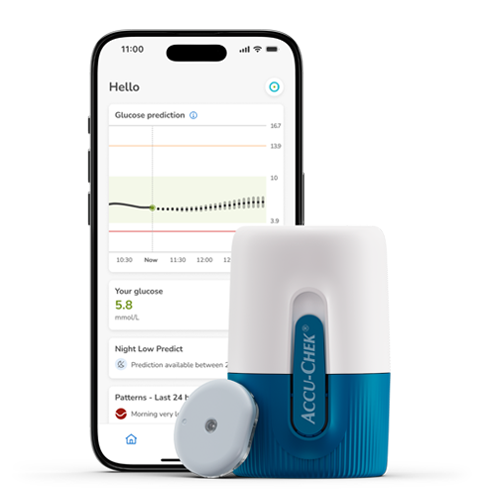
The newest arrival here, adults only for now, and it asks you for a finger prick on day one that the others do not.
Tell me more
How it works. In adults, 91% of paired readings landed inside ±20/20 and 99% inside ±40/40. Labelled for adults 18 and over, with a mandatory calibration on day one.
A day-one finger prick reads like a step backwards until you sit with it. The others do not ask, and the honest position is that asking is not a fault; it is a different design choice about where the sensor gets its truth from. What the labelling does mean is that there is no paediatric accuracy figure to put in this row, so none appears.
Good for. Adults who are not chasing an AID pairing.
Worth knowing. No AID partnership yet, and no published paediatric accuracy data, which is why there is no paediatric figure on this card.
MiniMed Simplera Sync and Instinct
MiniMed (formerly Medtronic Diabetes); Instinct made by Abbott exclusively for MiniMed
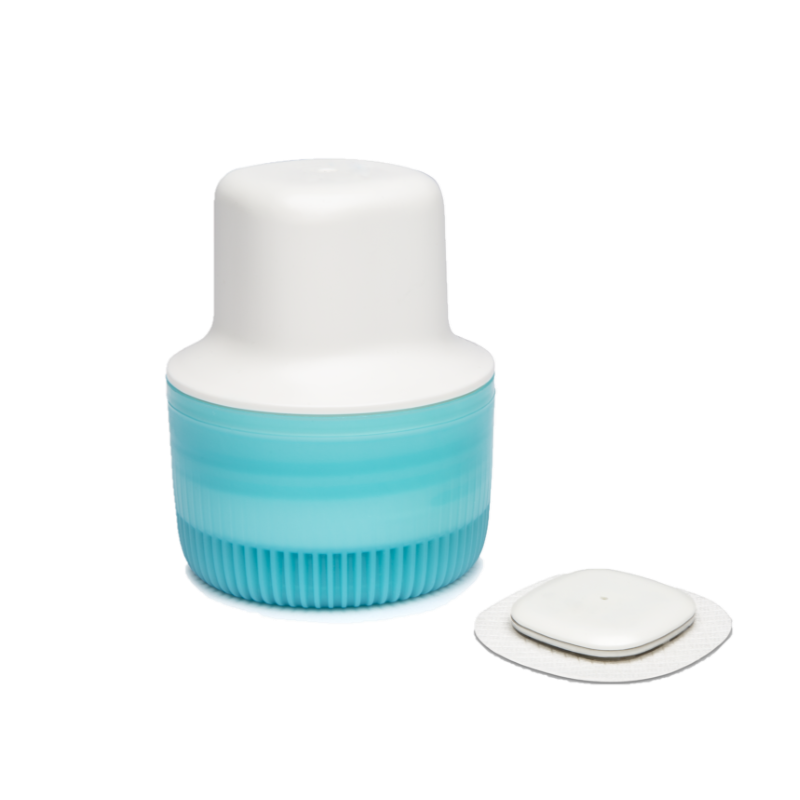
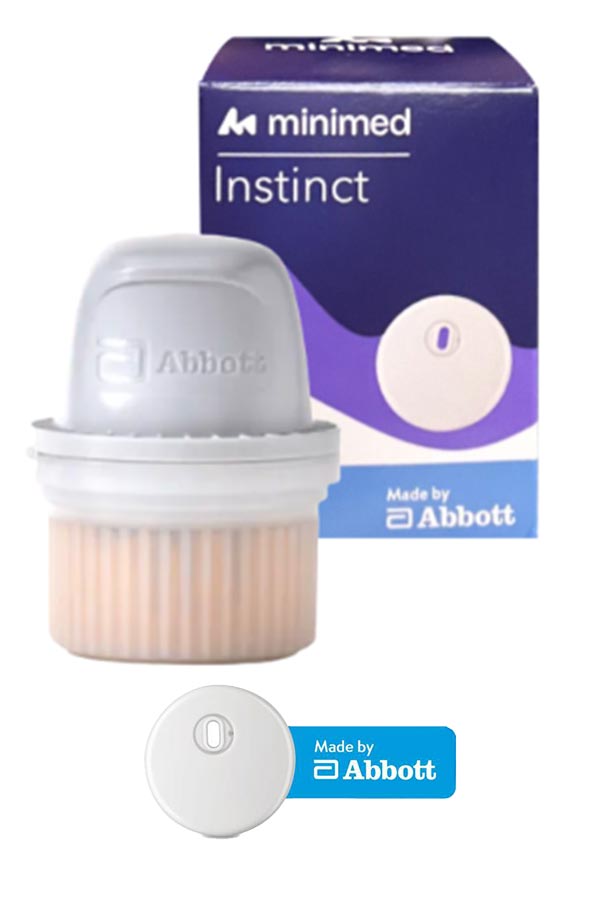
The 780G’s forward path, and a pair rather than a single sensor, so the choice is largely about how long you want to go between changes.
Tell me more
How it works. Simplera Sync sits at 89% inside ±20/20 and 99% inside ±40/40 in adults, at 7-day wear. Instinct carries the FreeStyle Libre 3 Plus figure of 94% inside ±20/20, because it is the same Abbott hardware, at up to 15-day wear. There is no ±40/40 figure for that hardware generation, so there is none to quote here. Both are shipping now.
Two sensors from one manufacturer with a five-point gap between them on the tight band is unusual, and it is not a mistake. Instinct carries Abbott’s hardware and Abbott’s figures. That is a genuine choice sitting inside one brand, and a fortnight between changes against a week is the other half of it.
Good for. People on, or heading for, the 780G. One page also covers MiniMed Go Smart, the separate MDI system built around the same Instinct sensor family.
Worth knowing. The two sensors do not perform identically, and the wear lengths differ. Which one your clinic can supply is a question for them.
MiniMed Instinct GO, the MDI sensor
MiniMed (formerly Medtronic Diabetes); made by Abbott exclusively for MiniMed
Read the full Simplera Sync and Instinct guide → (the MDI side does not yet have its own page)
Worth knowing. Same sensor hardware as the AID pair, different system. If a pump is on the horizon, the card above is the one to read.
Not on this list, and why: CareSens Air and GlucoMen iCan currently score 4/5 (data-sufficiency gap, not an accuracy problem, both are being watched). Senseonics Eversense 365 is not part of the current DSN Forum 5/5 roster at all and is not listed here.
CGM Knowledge Check
Try the assessment on this page any time, before you open the sensor guides below or once you have read them. It is a quick way to see where the gaps are across CGM, and 9 out of 10 earns your certificate.
Find your best match
Pick the three things that matter most to you. The selector scores each device against your priorities and recommends your top two.
Why only these devices? Every CGM in this selector has passed the five-question clinical framework on this page. Devices without published accuracy studies in the right populations, or without a non-adjunctive indication, are not included. The selector is a starting point for a conversation with your diabetes team, not a substitute for it.
Select 3 priorities (0 of 3 chosen)