
Choosing an Automated Insulin Delivery System
This page helps you and your family learn about each system and compare them, before you go back to your clinic’s form to tell them your choice.
What is an AID system?
Your body needs insulin all the time, and extra insulin when you eat.
Basal insulin works quietly all day and night. It is not for food. It balances the glucose your liver makes on its own.
Bolus insulin is for food. You take it when you eat, to cover the glucose in your meal.
On a pump, both jobs are done by the same fast-acting insulin. There’s no separate long-acting insulin injection any more, like Lantus, Levemir, or Tresiba, the pump handles the background job and the food job from one insulin, all through the day.
An AID system is a small computer (called an algorithm) inside a pump. It watches your glucose sensor and turns your background insulin up or down by itself, many times a day. This means you don’t have to think about it as much.
Background (basal) insulin is no longer one fixed amount set once and left alone: the pump reads your glucose trend and how much insulin you already have on board, and adjusts it up or down many times a day. The one thing it can’t do by itself is a meal: telling it about food, ideally about 15 minutes before you eat, is still essential every time.
Words you’ll see on this page
Quick selector
Tap an answer below. If you use 70 units a day or more, the two systems with a smaller insulin tank will grey out below, since their reservoir may not hold enough. Tap the same answer again to bring them back.
How much insulin a day, roughly?
Compare the systems
Every card follows the same layout, so you can compare them side by side. Tap “tell me more” on any card for extra detail.
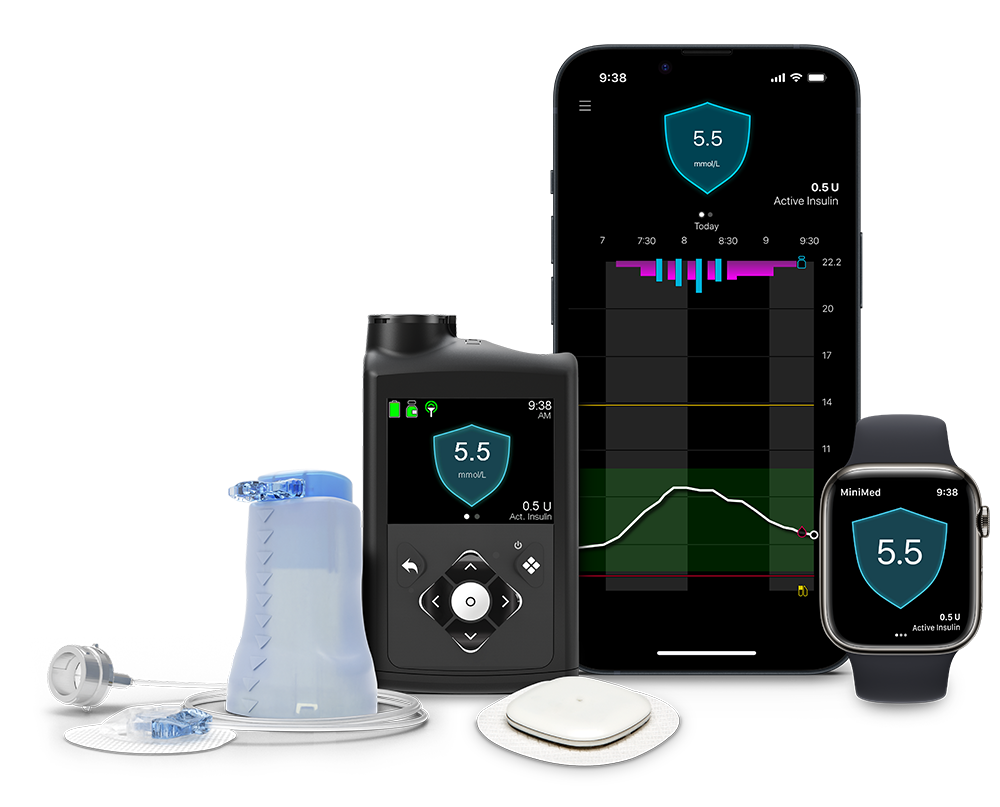
Tell me more
How it works. SmartGuard checks your glucose and gives more or less insulin every 5 minutes, all on its own. You still tell it about your food. Every so often you may need to change the carb ratio, but the pump does the rest.
+ Very simple to use. Big 300-unit tank, so it’s a good fit for higher insulin doses. Works with three different sensors, so you have some choice.
− Has a tube, and stays connected to your body almost all the time. No study shows this system beating the others on time in range. The differences are about what fits your life, not which one “works better”.
Read the full MiniMed 780G guide →Medtronic’s own MiniMed 780G page and photos →
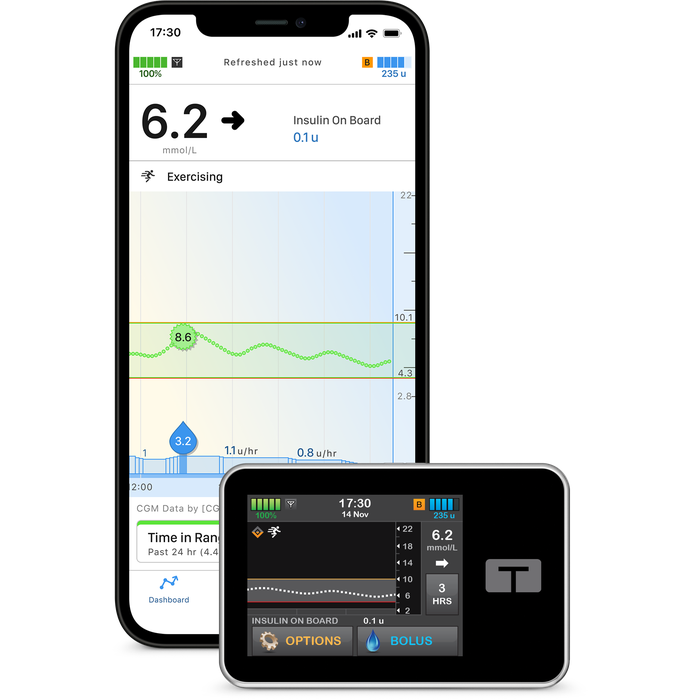
Tell me more
How it works. This system does two things at once: it moves your background insulin up and down, and it can also give small extra doses by itself if your glucose is rising. You can set different plans for weekends or holidays.
+ Big 300-unit tank. Works with three sensors, including the newest FreeStyle Libre 3 Plus. Shows your insulin on board clearly on screen. Updates download by plugging the pump into a computer.
− Has a tube, and stays connected almost all the time. No study shows this system beating the others on time in range; the differences are about fit, not performance.
Read the full Control-IQ guide →Tandem’s own Control-IQ page and photos →
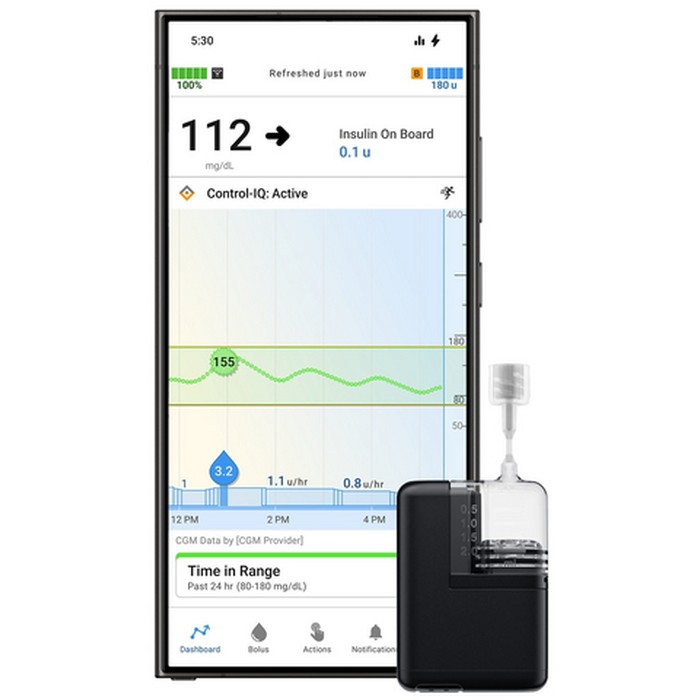
Tell me more
How it works. Mobi is a very small version of the t:slim X2 pump. It runs the same Control-IQ+ software, so it behaves the same way, just on tiny hardware you wear stuck to your body rather than carry separately. It charges wirelessly, like some phones do.
+ Very small and light. Same clever software as Control-IQ+, including the new sensors. Good for people who want the smallest possible tubed device.
− Smaller 200-unit tank than the t:slim X2’s 300 units, so it may not be the best fit if you use a lot of insulin each day. It’s brand new, so ask your team to confirm it’s available at your clinic before choosing it.
Read the full Control-IQ guide (covers Mobi too) →Tandem’s own Mobi page and photos →
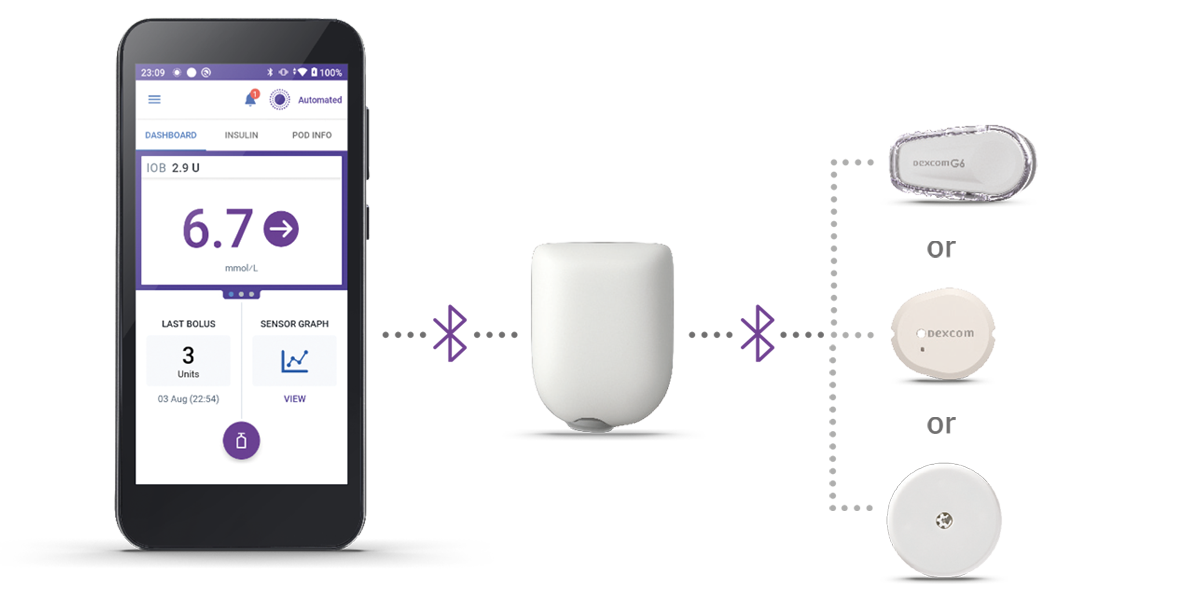
Tell me more
How it works. The whole system, the insulin, the algorithm, and the needle, sits inside one pod on your skin. It checks and adjusts your glucose by itself. Your phone or a handset just shows you the numbers and lets you bolus for food.
+ No tubing at all, and it’s waterproof. The algorithm lives on the pod, so it keeps working even if you leave your phone in another room. Very simple day to day.
− The pod is a bit bulky for little bodies (about the size of two dextrose tablets from a snapped-in-half pack, side by side). 200-unit tank, so it may not be the best fit for a high daily insulin dose.
Read the full Omnipod 5 guide →Insulet’s own Omnipod 5 page and photos →
Tell me more
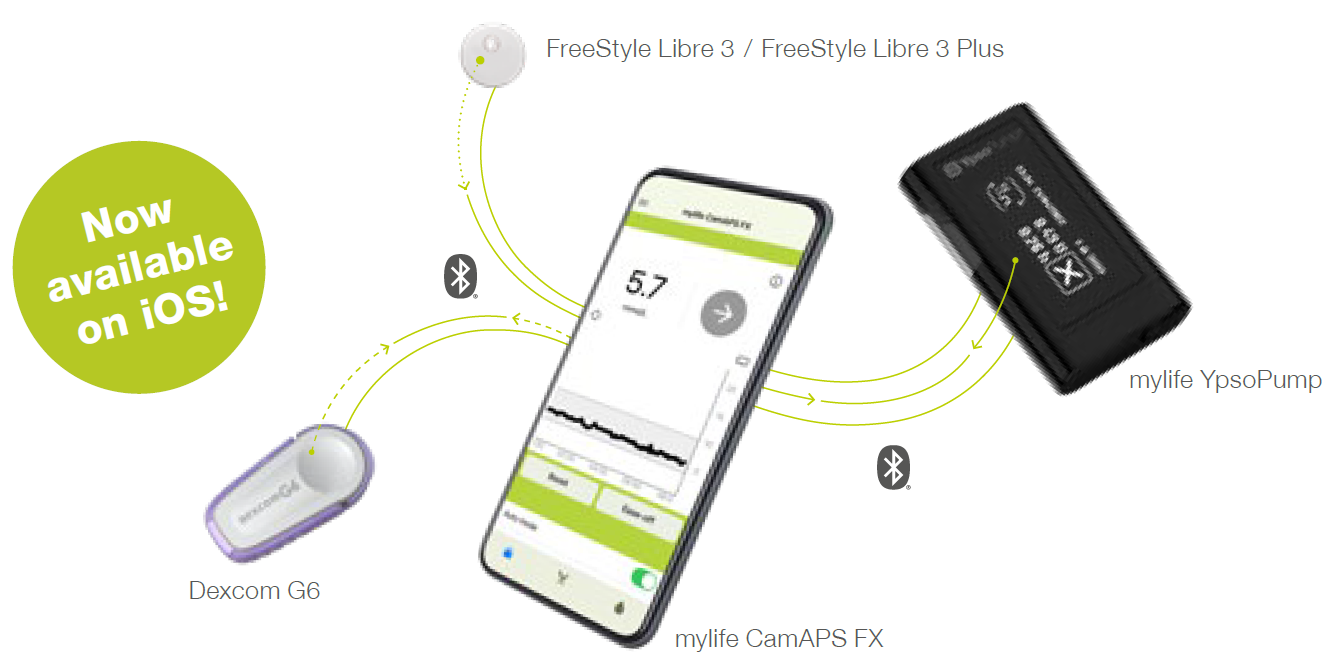
How it works. The clever part, the algorithm, lives in an app on the phone, not in the pump. It works out your insulin needs from your weight and glucose pattern, and adjusts your pump every 8 to 12 minutes.
+ Usable from 1 year old. The most research of any system here in young children and in pregnancy. You can tune your own glucose target. A pre-filled insulin cartridge is available, so there’s no drawing up insulin.
− Needs a compatible phone nearby at all times to run the algorithm. Has a tube. If your insulin dose is high, the DANA-i pump option (300 units) holds more than the standard YpsoPump (160 units), worth asking your team about.
Read the full CamAPS FX guide →CamDiab’s own FAQ page →
Ypsomed’s own YpsoPump page and photos →
What every system needs you to do
Whichever system you pick, they all work the same way underneath, and all ask the same things of you.
Ready to decide?
Once you and your family have compared the systems above, go to your form to tell us which one you’ve chosen. If you’re not sure, that’s fine too, just say so on the form and your team will be in touch.